Fan Noise for Sleeping - App
GeastormMedical
3.333.00 Reviews
- Version
- 1.0.8
- Installs
- 10.00K
- Age Rating
- Everyone
Screenshots
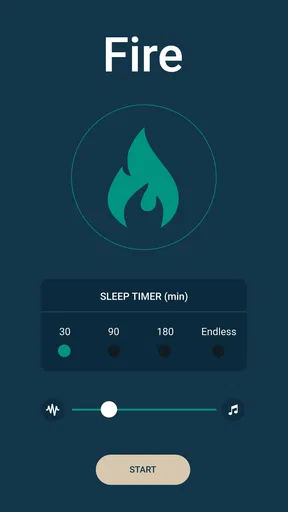
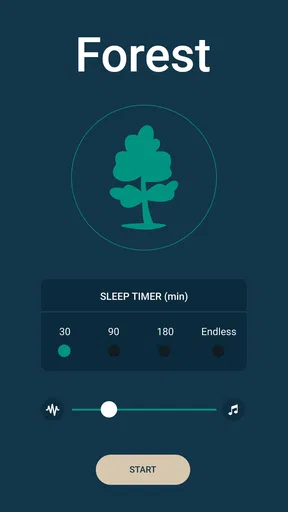
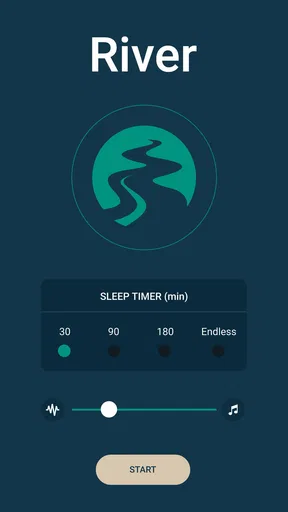
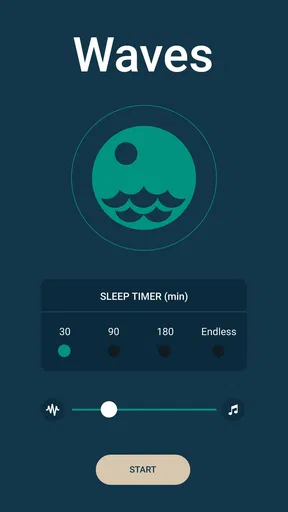
Our Review of Fan Noise for Sleeping - App
 Analysis by Appyee
I tried Fan Noise for Sleeping as a simple way to add steady background sound to a bedtime routine, and its appeal is easy to understand: it focuses on fan noise, white noise, and nature-inspired audio rather than trying to become a complete sleep-tracking or wellness platform. That narrow purpose is both its main strength and its biggest limitation. If you want a straightforward sound layer to cover traffic, household noise, or an overly quiet room, it is worth considering. If you expect detailed sleep analysis, guided relaxation, or a large library of advanced tools, you may find it too modest.
This is a free medical-category app from Geastorm, available for users aged Everyone and compatible with Android 7.0 or later. It was released on February 13, 2024, and the current version is 1.0.8. The app has passed the early discovery stage with 10K+ installs, although its average rating is 3.3 from around 102 ratings and 33 written reviews. I would read that combination as a reason to approach it with realistic expectations: enough people have tried it to make it relevant, but the public response is mixed rather than overwhelmingly enthusiastic.
How Fan Noise for Sleeping fits into a real bedtime routine
I’d focus this section on making the sound test part of an ordinary evening rather than treating it as a one-time demo. I’d choose one track, set a comfortable low volume before getting into bed, and leave the phone somewhere it can be heard without sitting beside the pillow; that also makes it easier to notice whether the sound actually softens familiar household or street noise.
A focused sound tool rather than a full sleep system
The first thing I noticed is that the app’s identity is very clear. It is built around continuous background audio, with fan noise at the center and white noise and nature sounds supporting the same basic goal. That makes it different from sleep apps that lead with meditation courses, breathing exercises, sleep stories, alarms, or sleep-stage reports. Here, the sound itself is the product.
That focus can be useful when the problem is environmental rather than emotional. A person living near a busy road may not need a guided meditation; they may simply need a consistent sound that softens sudden changes in the room. The same applies to light sleepers sharing a home with someone who keeps different hours. A steady fan-like texture can make occasional doors, footsteps, or distant conversation less noticeable without demanding attention.
I also think the app makes sense for people who already know they sleep better with a fan running but do not want the heat, electricity use, or physical noise of a real appliance. The sound can provide a similar kind of auditory masking while keeping the routine digital. That does not mean it will feel identical to a real fan for everyone. Some listeners prefer the subtle mechanical irregularities of an actual device, while others find a consistent recording more comfortable.
What the free entry point really means
Fan Noise for Sleeping is free to install, which makes it easy to test without committing money first. That matters for this type of app because sound preference is highly personal. A tone that feels calming to one person can become irritating within minutes for another. Being able to try the basic experience before paying is more useful here than a long feature list.
There are in-app purchases priced from $2.99 to $29.99 per item. I would therefore separate the decision into two stages: first, decide whether the free experience gives you a sound you can comfortably use; only then consider whether any paid option adds enough value to justify the cost. The range is broad, so I would avoid assuming that every useful part of the app is included at no charge or that the most expensive item is automatically the best choice.
For a reader comparing alternatives, this is the important distinction: the app offers a low-risk starting point, but the total value depends on what is available without payment and what the optional purchases unlock. Since sound apps are easy to replace, I would not pay quickly just because a premium option appears. I would first use the free version across several nights and check whether it solves the specific noise problem I have.
My practical way of testing it
I would test an app like this in three situations instead of judging it during a single quiet evening. First, I would play the fan sound while reading or preparing for bed, listening for any loop that becomes obvious. Second, I would use it during the first part of the night, when small changes in volume or texture are most noticeable. Third, I would try it during a daytime nap, when outside noise tends to reveal whether the background sound actually masks interruptions.
This approach exposes a trade-off that store descriptions rarely explain. A sound can be pleasant in isolation but ineffective against real-world noise. A soft nature track may feel relaxing yet fail to cover a sudden vehicle or a television in the next room. Fan-like noise is often more practical for masking because its frequency profile feels continuous, but it can also become tiring if the listener is sensitive to mechanical tones.
Another useful test is to place the phone where the sound remains audible without being directly beside the pillow. That reduces the temptation to keep the device inches from your head and makes it easier to judge whether the audio fills the room naturally. I would also check the phone’s battery behavior and notifications during a full routine, not because the app promises a particular battery result, but because any audio app becomes inconvenient if the device cannot comfortably remain active overnight.
Small workflow choices that make a difference
The most effective use is not necessarily to turn the app on at maximum volume. I prefer starting at the lowest level that softens the background disturbances without dominating the room. This creates a more comfortable sound bed and leaves some room for unexpected noises without making the overall environment harsh. If the sound is too loud, it may replace one sleep problem with another.
I would also keep the chosen sound consistent for a few nights before changing it. Constantly switching between fan noise, white noise, and nature audio makes it difficult to learn which option actually works. A better workflow is to use one sound for several evenings, note whether falling asleep or staying asleep feels easier, and then compare it with another option. That simple trial gives more useful information than choosing based on the name of a sound alone.
For shared bedrooms, the phone’s position matters. Placing it on a stable surface between the listener and the main source of unwanted noise may be more useful than placing it behind the bed. In a small room, a lower volume can be enough; in a larger room, the listener may need to experiment with placement rather than immediately increasing loudness. These are not special app features, but they determine whether the app feels helpful in everyday use.
Where it compares well with ordinary alternatives
The most obvious alternative is a physical fan. A real fan provides airflow as well as sound, which can be valuable in warm weather, but it also takes up space and may produce changing mechanical noises. Fan Noise for Sleeping is more convenient when I want the auditory effect without adding air movement. On the other hand, it cannot cool the room, so it is not a replacement for a fan when temperature is the actual reason I sleep poorly.
Another alternative is a built-in phone audio track or a general music service. Those options may offer more variety, but variety is not always an advantage at bedtime. A dedicated app can feel easier to operate because the purpose is obvious and the listening choice is narrower. General audio services may be better for someone who wants podcasts, music, long-form ambient recordings, or playlists alongside sleep sounds.
Physical white-noise machines are also worth considering. They can be convenient because they are separate from the phone and do not compete with calls, messages, or charging. Fan Noise for Sleeping is the more flexible choice if I already keep a phone beside the bed and want to test the idea without buying another device. A dedicated machine may be preferable for households that want a permanent, distraction-free setup.
Finally, there are sleep applications centered on guided content and tracking. Those are a better fit for users who want structured relaxation exercises or a record of sleep habits. This app’s value is different: it provides an audio backdrop. I would not choose it expecting medical guidance or a diagnosis, and I would not treat its presence in the medical category as proof that it can address an underlying sleep disorder.
The trade-offs I would consider before paying
The mixed average rating tells me to pay attention to friction rather than assuming the experience will suit everyone. Some users may dislike the available sound character, find the selection too limited, or encounter an interface that does not match their preferred bedtime routine. I cannot remove those possibilities by recommending the app enthusiastically. The right response is to test it in the exact environment where you plan to sleep.
The optional purchase range is another important trade-off. A free app can be excellent value when its included sound is enough, but the calculation changes if the sound you want sits behind a purchase. I would decide what I need before opening any paid option: one reliable fan sound, several choices for different situations, or a broader collection. If one basic sound solves the problem, paying for a large bundle may not be sensible.
I would also avoid using the app as a substitute for addressing serious or persistent sleep difficulties. Background audio can reduce environmental distractions, but it does not explain why someone is sleeping poorly. If the issue involves ongoing insomnia, breathing problems, severe daytime fatigue, or distress, a sound app is not the right level of support. In that situation, professional medical advice is more appropriate than changing audio tracks.
There is a privacy and attention trade-off with any phone-based bedtime tool as well. Even when I use the device only for sound, the screen, notifications, and temptation to check other apps can interfere with winding down. My practical solution would be to prepare the sound before getting into bed, reduce visual distractions, and keep the phone out of immediate reach while ensuring the audio remains comfortable.
Who is most likely to get value from it
I see the strongest fit for a light sleeper dealing with inconsistent household or neighborhood noise. Imagine someone who goes to bed before the rest of the home: the fan-like background can soften kitchen activity, television sounds, or movement in nearby rooms. The app is also a reasonable trial for anyone who likes the idea of white noise but has never owned a dedicated machine.
It may suit travelers as well. A hotel room can have unfamiliar sounds from air-conditioning, hallways, elevators, or adjacent rooms. Carrying a phone is easier than carrying a separate sound machine, and a familiar audio texture may make the room feel less unfamiliar. The limitation is that the phone still needs to remain available and powered, so travelers should plan around charging rather than assuming the setup will run indefinitely.
Parents and caregivers may also find a use for it when a steady background sound helps make a room less sensitive to small disturbances. I would be careful with volume and device placement, especially around children, and I would not treat the app as a safety tool or a replacement for appropriate supervision. Its role is simply to provide background audio.
People who should probably skip it are those looking for guided sleep programs, detailed tracking, cooling, or a completely separate bedside device. It is also a weak match for anyone who finds repetitive fan-like sounds irritating. In that case, a nature-focused app, quiet music, or a physical machine with different sound characteristics may be a better direction.
What the app’s current position suggests
Geastorm’s app has a relatively focused identity and a modest public footprint, with more than 10K installs. I would view that as enough evidence that it is an active option in the Android sleep-sound space, but not as a guarantee of polish across every phone. The current version, 1.0.8, is useful context for expectations: this is not something I would approach assuming years of refinement or a huge ecosystem around it.
The Everyone age classification makes the app broadly accessible from a content perspective. Still, age suitability does not turn background noise into medical treatment. I would explain its purpose to younger users simply as a sound for relaxation or sleep, not as something that diagnoses or fixes health conditions.
Its Android compatibility from version 7.0 onward also gives it a wide potential device range. That is helpful if I am using an older phone as a dedicated bedside player. At the same time, older hardware can behave differently with overnight audio, so I would test the exact device rather than relying only on compatibility. The practical question is whether the phone can play comfortably in the intended routine.
My buy-or-skip verdict
I would recommend trying Fan Noise for Sleeping if the main problem is unwanted ambient sound and you want a free starting point. Its strongest quality is its narrow purpose: it does not make me sort through a complete wellness system when all I want is a steady auditory background. The free entry point makes experimentation reasonable, especially because personal sound preference cannot be predicted from a description.
I would not recommend paying immediately. Use the free access long enough to test the sound in a real bedroom, during a nap, and in a noisy situation. If the included experience already works, the app can be good value without an additional purchase. If the useful option requires spending, compare that cost with a general audio service, a dedicated white-noise machine, or simply keeping a physical fan running. The in-app purchase range from $2.99 to $29.99 per item means the premium decision deserves attention rather than an automatic upgrade.
My final view is cautiously positive. This is a practical, specialized tool for people who want fan-style audio and do not need sleep tracking or guided content. Its 3.3 average rating and limited install base make me less likely to call it a universal recommendation, but they do not erase its usefulness for the right listener. Try the free experience first, judge it by several real nights, and pay only if the specific added value is clear.
Verdict
Strengths of Fan Noise for Sleeping - App
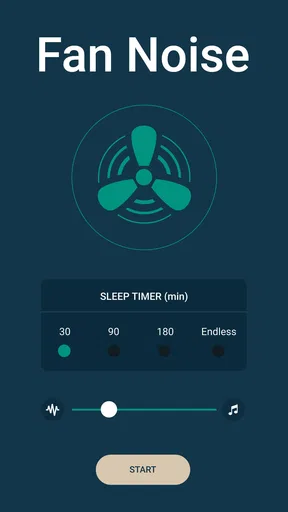
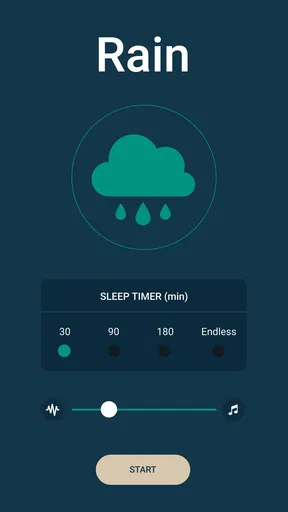
- Simple interface makes it quick to start relaxing background noise.
- Offers a practical way to mask traffic, neighbors, or other disruptive sounds.
- Useful for naps, bedtime, studying, or creating a calmer room atmosphere.
- Continuous fan sounds can provide consistent audio without distracting melodies.
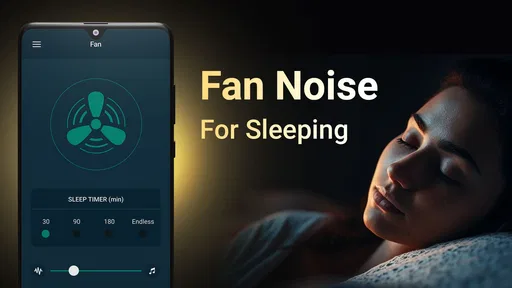
- Sleep timer support can prevent playback from running all night unnecessarily.
Limitations of Fan Noise for Sleeping - App
- Some sound options or features may require in-app purchases.
- Continuous audio playback can drain battery during extended overnight use.
- The repetitive fan loop may feel artificial or irritating to some listeners.
- Limited customization may not suit users wanting detailed sound mixing controls.
- Audio may stop if the system restricts background activity or the app is closed.
Similar Picks in This Category
View All
WebMD: Symptom Checker
WebMD, LLC4.1

Microphone Amplifier
DOSA Apps4.2

Anatomy Learning - 3D Anatomy
3D Medical OU4.5

Period Tracker and Calendar
SimpleInnovation4.9

GoodRx: Prescription Coupons
GoodRx4.8

CVS Health
CVS Pharmacy4.5
Frequently Asked Questions
What is Fan Noise for Sleeping, and how does it work?
Fan Noise for Sleeping is a sound app designed to reproduce steady fan-like noise that can help create a calmer background for bedtime, relaxation, studying, or meditation. After opening the app, you can generally start the sound with a simple control and leave it playing while you rest. The consistent audio may mask sudden household or environmental noises, although results can vary from person to person.
Can Fan Noise for Sleeping be used offline?
Many users choose this type of app because continuous sound is useful even when traveling or when an internet connection is unavailable. Whether every sound is available offline depends on the specific version and how its audio is delivered. It is best to open the app before disconnecting from the internet and test the selected noise. If the app includes downloads, save the preferred sound in advance.
Does the app include a sleep timer or background playback?
A sleep timer and background playback are particularly important for a sleeping-noise application because they allow the sound to continue after the screen is locked without keeping the display illuminated. Features can differ between Android and iOS versions, so check the controls and device permissions after installation. If a timer is available, use it to stop playback automatically and avoid unnecessary battery use.
Is Fan Noise for Sleeping free to download and use?
The app may be free to install, but availability of all sounds, timer options, customization tools, or an ad-free experience can depend on the current pricing model. Review the store listing carefully before downloading and check for advertisements, optional in-app purchases, or subscriptions. If you plan to use it every night, confirm the recurring cost and cancellation terms before starting any trial.
Is it safe to sleep with fan noise playing all night?
Fan-style noise is generally intended to be played at a comfortable, moderate volume, but it should not be treated as a medical solution for insomnia, anxiety, or hearing problems. Keep the device away from your pillow, avoid excessive volume, and stop using the app if it causes discomfort, headaches, or disturbed sleep. Parents should also choose a safe volume for children and follow professional advice when sleep problems persist.
